Member Card · by MORE Tech

Turn first-timers into regulars.

A loyalty card that lives in Apple Wallet and on the web, with your venue's name, colours and rewards on it. Guests join from a QR or a tap in seconds — no app to install. Staff award points from the phone they already carry.

Add to Apple Wallet Add to Google Wallet Apple Wallet and the web card today; Google Wallet in test mode until issuer approval.
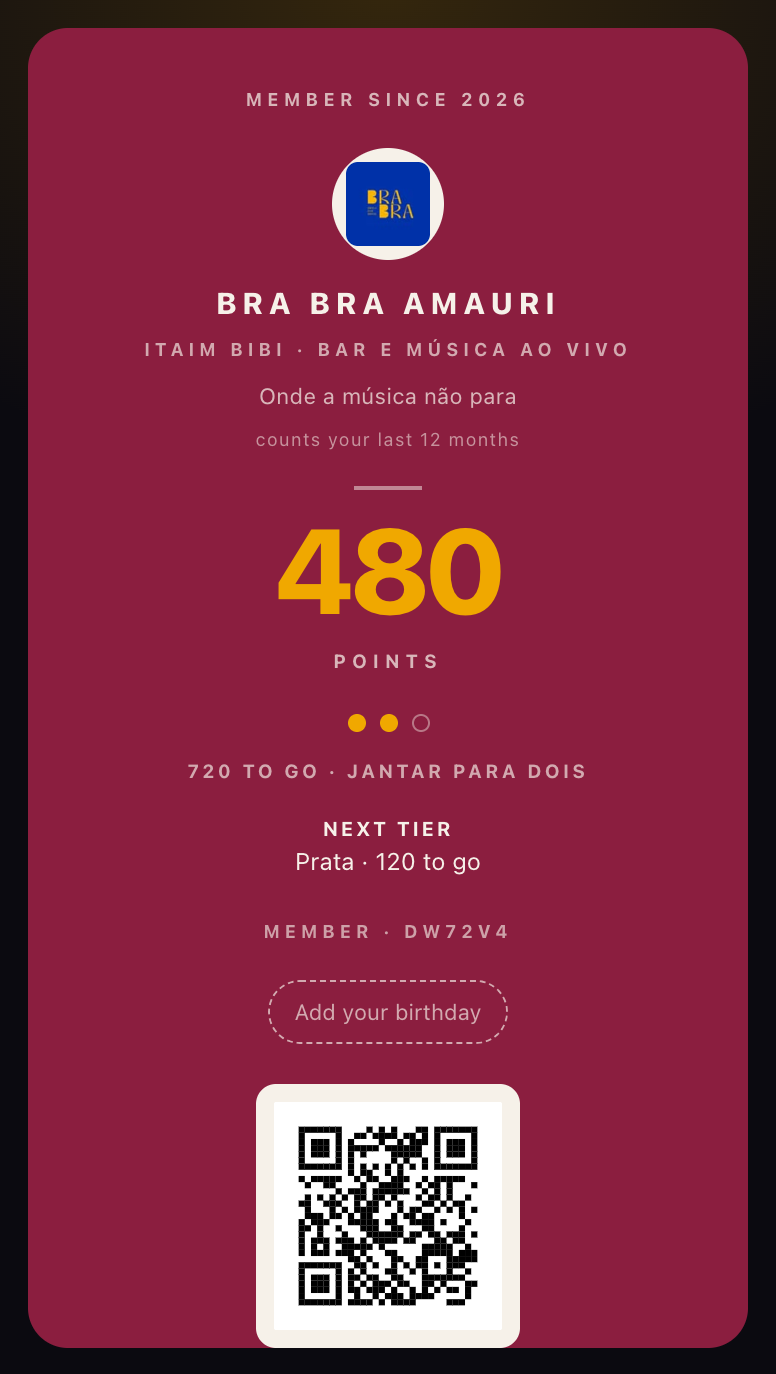
The Bra Bra Amauri member card as it renders on a phone: 480 points, next reward and tier, member code and QR
A real card, rendered by the product — Bra Bra Amauri, São Paulo (pilot venue, demo balance).
Member Card is a product of MORE Tech · Bangkok · São Paulo support@membercard.club · Support
First venues
Bra Bra Amauri · São Paulo AAmelya · São Paulo +your venue
How it works

Your brand, in their pocket.

Not a vendor's app with your logo in a corner. The card carries your name, your colour and your rewards, and it opens from the wallet like a boarding pass.

  • Join in seconds. A QR on the counter or an NFC tap on the table opens enrolment; the guest enters a phone number or an e-mail, accepts your terms and the card is theirs.
  • Points or stamps — your rule. Points per amount spent or one stamp per visit, with tiers and rewards you name.
  • Always at hand. Apple Wallet or the web card; a 6-character member code for dark counters.
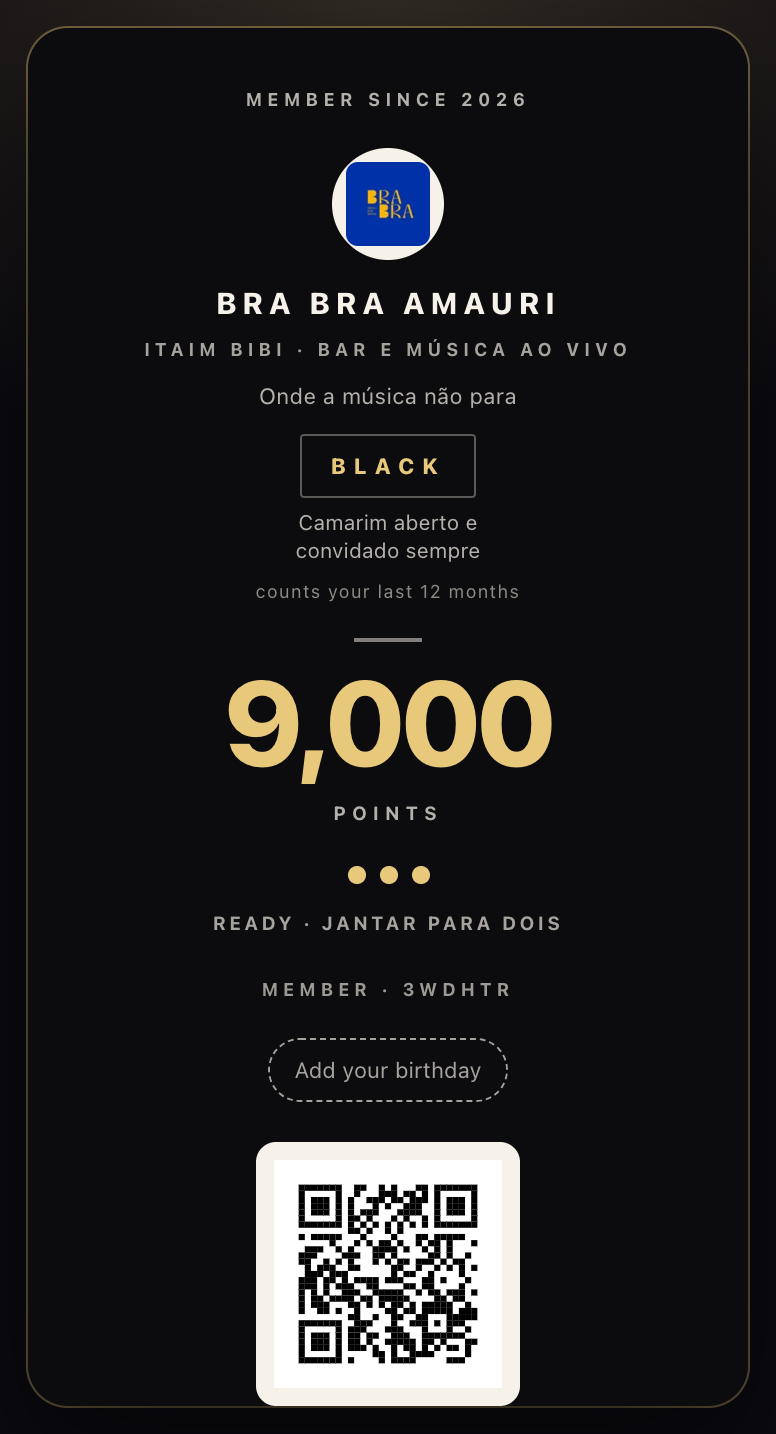
The same venue's card at the top tier: black card, gold type, 9000 points
Tiers can carry their own card — the Black tier at Bra Bra turns the card black.
At the counter

Staff award points in one tap.

No new hardware. The scanner runs in the browser of any phone or tablet: scan the QR or type the member code, choose the action, done.

  • Sale, stamp, points, redeem — the four actions a counter needs, behind a staff PIN.
  • Mistake-proof by default. Per-tap and daily caps, and replay protection against duplicate entries.
  • Wi-Fi drops happen. Supported actions queue on the phone, show as pending and sync when the connection returns.
DW72V4
Member · Bra Bra Amauri · 480 points
SaleStampPointsRedeem
R$ 60 recorded · +60 points · Prata in 60
Automations

Send the right nudge at the right time.

Messages go to the card itself, not to a crowded inbox. You set the rules once; the platform watches visits and balances for you.

  • Welcome, near-reward, win-back — your window, your words.
  • Scheduled and recurring sends, point boosts for a slow Tuesday.
  • Respectful by design. Frequency caps and quiet hours per venue; delivery depends on the channel and the guest's device settings.
Near reward · fires at 80% of the goal

“Only 60 points to your Jantar para dois. Friday has samba from 9pm.”

Sent to 48 cards this week · quiet hours 23:00–10:00 · max 2 per member per week
Everything included

One programme. Your rules.

Configured from one dashboard, by you or by us.

▣

Stamp & points cards

Points per amount spent or one stamp per visit. VIP tiers, reward costs, per-tap and daily caps against mistakes and abuse.

⟳

Automations that bring people back

Seven triggers, four actions.

  • Welcome, near-reward, win-back
  • Scheduled and recurring sends, point boosts
  • Frequency caps and quiet hours per venue
⇄

Referrals built in

Each card's QR is also an invite link. New members are attributed to their referrer, with checks that limit same-device and same-e-mail abuse.

▤

A scanner on your staff's phone

Sale, stamp, points, redeem. A 6-character code for dark counters, camera optional. Queued actions are shown as pending until they sync.

◔

Analytics you can export

Growth, active members, where members come from, redemptions, near-reward, average ticket, peak hours and per-staff activity — in CSV or JSON.

⌘

Print material that reports back

A printable poster and NFC links per placement, so you can see whether the table tent or the counter QR brought a member in.

Pricing

Start with one venue. Grow to all of them.

We are onboarding a small number of founding venues with white-glove setup: we build the card, train the counter and switch it on with you. Pricing and launch timing are agreed for your setup.

1

Tell us about your venue

Your customers, your rhythm, the rewards you want to offer. We suggest points or stamps and rules your team can explain in one sentence.

2

We build the card with you

Your photo, colours, rewards and tiers; posters and NFC links for the counter and the tables; staff onboarding in one visit.

3

Run the pilot, read the numbers

Enrolments, repeat visits and redemptions in your dashboard from day one. Agree the success criteria before the switch-on, not after.

FAQ

Questions, answered.

Do my customers need an app?

No. Guests enrol from a web page and open their web card or add it to an available wallet. Enrolment includes your terms and any eligibility confirmation your venue requires.

Does this replace our paper stamp card?

Yes — and it keeps the part people liked. A stamp programme shows one slot per stamp on the card; the difference is that it cannot be lost, forgotten or photocopied, and you finally see who is coming back.

Which wallets are available?

Apple Wallet and the web card are supported today. Google Wallet is currently in test mode; public availability depends on issuer approval. We confirm the channels available for your venue before the pilot.

Does it work with our POS?

The counter works on its own from day one — any phone or tablet. For venues that want sales to flow in automatically there is a partner API; integrations are agreed per setup.

Can I export my programme's data?

Yes. The dashboard offers CSV and JSON exports for programme reports. The members are yours; access, retention and integration requirements are agreed with MORE Tech when defining your setup.

Can I run several venues?

Yes. Separate programmes, rules, staff access and analytics per venue, under one account. Rollout scope and commercial terms for a group are agreed with MORE Tech.

What happens when the counter Wi-Fi drops?

The scanner can queue supported actions on the phone and show them as pending while offline. It retries when connectivity returns, using transaction IDs to prevent duplicate replay. Confirm synchronisation before treating an action as completed.


Ready when you are

Make the next visit count.

Bring your venue, your idea and your questions. We will show you a card with your name on it in the first call.